

One of my favorite digital hacks is the The Roomy Bookmarks Toolbar. It’s an easy toolbar plug-in that reduces site navigation to a favicon only browser. With a few easy steps, and two minutes, you too can experience a clutter-free browser and be one step closer to clearing the digital clutter.
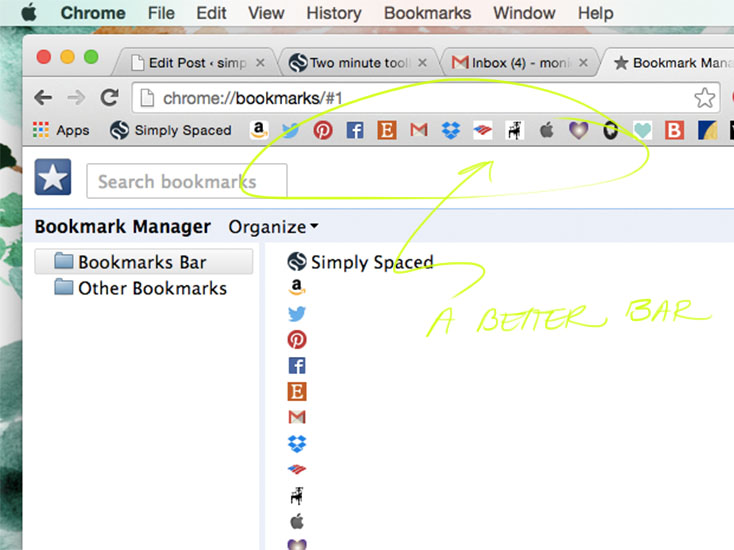
1. Identify your browser: The Roomy Bookmarks Toolbar works with both Firefox and Chrome. Choose which browser you use most.
.
2. Download the Roomy Bookmarks Toolbar plugin: Roomy Bookmarks Toolbar for Chrome
.
3. Install plugin
.
4. Organize your favicons: Once you have installed your new toolbar, go into your bookmarks manager and organize your favicons according to use. NOTE: if you are using Chrome, you may need to edit your bookmarks and delete the saved site names to display favicons only.
.
5. Prioritize most commonly accessed sites, delete bookmarked sites you no longer access, and add only sites that you love and use regularly.





Just wish to say your article is as surprising. The clarity in your
post is simply cool and i could assume you’re an expert on this
subject. Well with your permission let me to grab your RSS feed to keep up
to date with forthcoming post. Thanks a million and please
carry on the rewarding work.